Fala pessoal, tudo bem com vocês?
Espero que sim e vamos de mais dicas.
Essa dica é bem simples, e ajuda muito quando queremos substituir textos de uma consulta T-SQL.
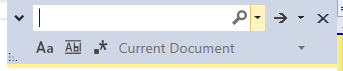
Para isso, clique em qualquer lugar da sessão aberta e use as teclas de atalho “CTRL + H” dentro Microsoft SQL Server Management Studio(SSMS), dessa forma será exibido a caixa de diálogo para você escrever a palavra que será substituída na consulta.

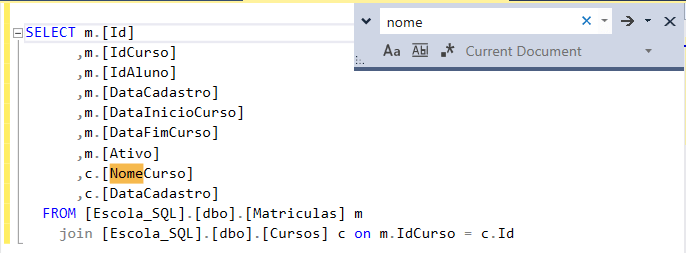
No exemplo a seguir, foram localizados 2 palavras iguais, mas veja que apenas uma foi aplicado a Substituição.

Bacana né?
Espero ter ajudado com essa simples contribuição.
Desejo a todos uma ótima semana, um grande abraço e até o próximo post pessoal!
Felippe Santos
CTRL + H at SSMS
Hi Guys, how are you doing?
I hope you are doing well! Here I come to share one more tip with you.
This tip is really simple and really helps when we want to replace texts of a T-SQL consult.
For that click on any space in blank of the open session and use the hotkeys “CTRL + H” into Microsoft SQL Server Management Studio(SSMS),
this way it will be showed a dialog box for you to write a word that will be replaced at the consult.
In the following example, it was found two equal words, but it was aplied a replacement to one of them.

That’s cool, isn’t it?
I hope I helped you with this simple contribution.
I wish you all have a great week, warm hugs and I´ll see you on our next post guys.
Santos, Felippe