Fala pessoal, tudo bem com vocês?
Espero que sim e vamos de mais dicas.
Essa dica é bem simples, e ajuda muito quando queremos localizar uma palavra ou parte dela em uma consulta T-SQL com muitas linhas.
Para isso, clique em qualquer espaço em branco da sessão aberta e use as teclas de atalho “CTRL + F” dentro Microsoft SQL Server Management Studio(SSMS), dessa forma será pesquisado o local onde está a palavra digitada na consulta.
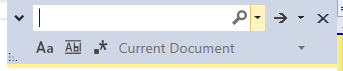
Após digite o texto que deseja pesquisar, veja o exemplo a seguir:
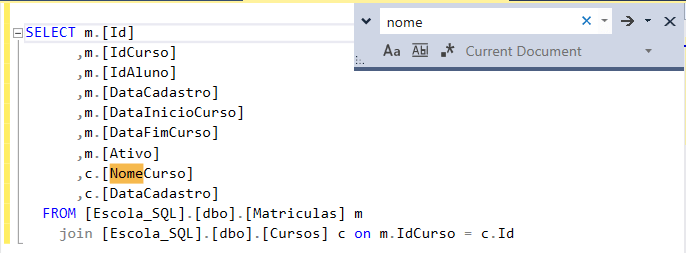
Bacana né?
Espero ter ajudado com essa simples contribuição.
Desejo a todos uma ótima semana, um grande abraço e até o próximo post pessoal!
Felippe Santos
CTRL + F at SSMS
Hi Guys, how are you doing?
I hope you are doing well! Here I come to share one more tip with you.
This tip is really simple and it helps much when we want to search a word or a part of it in a T-SQL consult with many lines.
For that, click on any space in white of the open session and use the hotkeys “CTRL + F” into Microsoft SQL Server Management Studio(SSMS), this way it will be serching the place where it is the typed word at the consult.
After, input text that you wish to search.

That’s cool, isn’t it?
I hope I helped you with this simple contribution.
I wish you all have a great week, warm hugs and I´ll see you on our next post guys.
Santos, Felippe